


Geometry Dash Lite – Play Online for Free
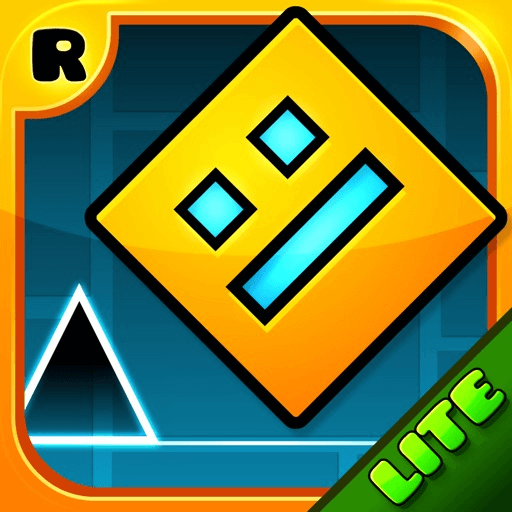
Geometry Dash Lite is a fast, rhythm-driven platformer where you guide a geometric character through spike-filled levels by tapping, clicking, or pressing a key at just the right moment. It’s easy to pick up, tough to master, and built around short, intense attempts that make every clear feel earned.
What Is Geometry Dash Lite?
Geometry Dash Lite is the free version of the popular Geometry Dash series, keeping the core rhythm-based platforming where your icon moves forward automatically and you control jumps and special actions. Instead of complex controls, you mostly time single inputs to avoid spikes, walls, gaps, and moving hazards while racing toward the finish.
As you progress, levels get faster and more intricate, so learning obstacle patterns and syncing with the beat becomes essential.
How to Play (Controls & Objective)
Your main job is timing: your character runs on its own, and you decide when to jump, flip gravity, or change movement modes depending on the portal you pass through.
Basic controls:
- Tap / click / press the action key: jump or activate the current mode’s action
- Hold (in some modes like ship or wave): steer or control altitude
- Release: stop the action or level out
- Keyboard: use the assigned key (often space or up arrow) when playing on PC
Objective: reach the end of the level without hitting an obstacle.
How the Gameplay Feels
Geometry Dash Lite is all about flow and timing. Levels are packed with spikes, platforms, tight corridors, and moving traps that demand quick, precise inputs. Many jumps and turns line up with the music, so once you internalize the rhythm, the level starts to feel like a dance rather than a reaction test.
The speed means you can’t hesitate; you either commit to the jump or you reset.
“Unblocked” and Playing in a Browser
Players often search for “Geometry Dash Lite unblocked” when they want a browser version that works on restricted networks (like school or work). Browser versions can be convenient since there’s no install, but availability and features vary by site and device.
If you’re looking for a web version:
- Use well-known, trusted sites and avoid pages pushing downloads, extensions, or suspicious files.
- Check that the controls feel responsive and the audio doesn’t lag behind the visuals.
What Makes It Stand Out
- Simple controls: One main action to learn, so you can start playing immediately.
- Challenging levels: Difficulty ramps up quickly, demanding better timing and faster reactions.
- Rhythm-based design: Music and level triggers are tightly synced, turning the soundtrack into a guide.
- Fast-paced action: Constant forward motion keeps tension high and attempts short.
- Colorful, geometric style: Bright backgrounds, clean shapes, and flashy effects create a distinct look.
- Highly replayable: Failing just sends you back to try again, and each run teaches you more about the level.
Why People Keep Coming Back
The appeal is the loop: try, die, learn, improve, repeat. A section that feels impossible at first becomes manageable once you memorize the pattern and lock in your timing. Short attempts make it perfect for quick sessions, but the “one more try” feeling can easily turn into a long play session.
Practical Tips to Get Better
These are the kinds of tips experienced players actually use:
- Listen to the music first: Play the level’s song on YouTube or a music app and tap along to the beat before you even start.
- Start with the easy levels: Master the early stages to learn the basic mechanics before jumping into harder content.
- Use Practice Mode intentionally: Place checkpoints just before the sections that kill you, then grind those 3–5 second windows until they feel automatic.
- Hide the percentage (at first): Watching “87%” reset to zero can be demoralizing; turn it off until you’re consistently getting far.
- Turn off auto-retry: A tiny pause after death helps you register what went wrong instead of instantly spamming the same mistake.
- Adjust audio offset if needed: If you use Bluetooth headphones or have laggy audio, tweak the offset in settings so your taps line up with the beat.
- Focus on one section at a time: When a sequence looks overwhelming, break it into smaller chunks and clear each chunk reliably before chaining them together.
- Watch a clear run: Seeing an experienced player’s route and timing can reveal shortcuts and safer lines you might miss on your own.
Can You Play Geometry Dash Lite Online?
Yes—if a compatible browser version is available, you can often play directly without installing anything. Just keep in mind that features, performance, and safety depend on the site and your device, so stick to reputable sources.
Playing on PC and Mobile
- PC: Keyboard or mouse controls work well, and a larger screen can make it easier to read upcoming obstacles and time your jumps.
- Mobile: The tap-to-jump design fits touchscreens perfectly, making it ideal for short sessions on the go.
Who Created Geometry Dash?
Geometry Dash was created by Robert Topala, known as RobTop, who built the series around rhythm-based platforming with simple controls and challenging level design. That combination helped it become one of the most recognizable rhythm platformers.
Quick FAQ
What is Geometry Dash Lite?
A free, rhythm-based platformer where your character moves automatically and you time jumps and actions to avoid hazards and finish each level.
Is it free?
Yes, Geometry Dash Lite is the free version; exact content can vary by platform and release.
What does “unblocked” mean?
It usually refers to browser versions people look for when gaming sites are restricted on certain networks.
Is it difficult?
The basics are simple, but harder levels demand precise timing, pattern memory, and a lot of practice.
Can I play it online?
Often yes, via trusted browser versions, though availability depends on the site and your device.
How is it different from other platformers?
Automatic forward movement, tight music-synced level design, and one-button-style controls give it a unique rhythm-platformer feel.
Ready to Play?
If you like arcade games that test your reflexes, timing, and focus, Geometry Dash Lite is a great fit. Jump over spikes, ride the beat, and treat every fail as practice—because in this game, persistence is basically the main skill.